

Independent filmmakers
Walk into every meeting with your film already visible. Test the expensive ideas on screen before they cost you a shooting day.
For live-action, hybrid & fully AI films
Shape the look, stage the action, and direct AI scenes from your screenplay—free, open source, and on your own computer.
Playback couldn’t start. Try the video’s play control or open the film directly.
The workflow
Your editor, your screenplay. Bring each FDX revision into Renku.
Inspiration, analysis, and lookbooks establish your visual language.
Faces, turnarounds, and sets shaped by the script and its look.
Narrative units and storyboards with clear intent.
Plan shots, rehearse in Blender, and direct AI-generated takes.
Made with Renku
Every image and clip here came out of a real Renku project. Follow one scene through each stage, and see what the video model was actually given.
Scene 3 of Basilica, “The Harbor Argument”. Two characters, four lines, an evening harbor in 1452.
Written in Renku. Every later stage points back to these lines.
EXT. HARBOR QUARTER - EVENING
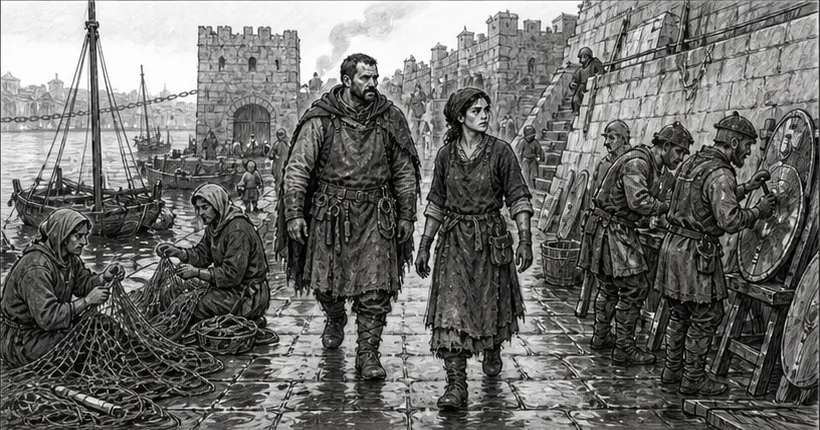
Urban and Mara pass refugees mending nets, soldiers mending shields, monks mending hope.
Mara
They are afraid of your gun.
Urban
They are afraid of the man who can afford it.
Mara
Then do not go to him.
Urban
A design unfired is a corpse with clean hands.
Across the water, Ottoman watchfires mark the dark like a second coastline.
Mara
And a design fired?
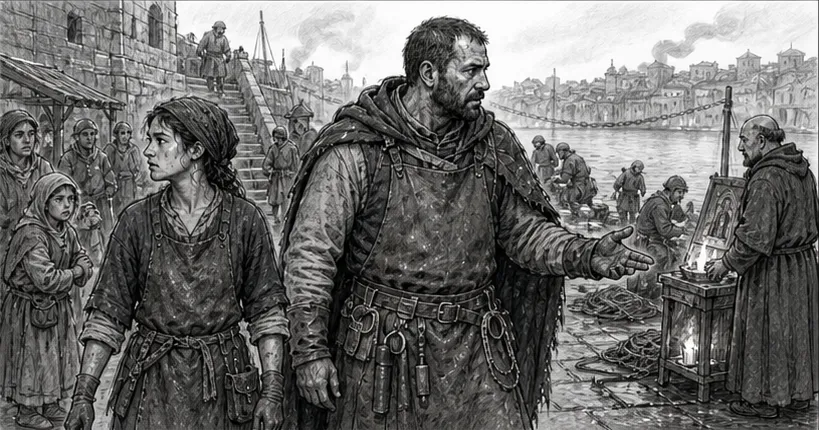
Urban folds the drawing and tucks it under his coat.
Urban
Work.
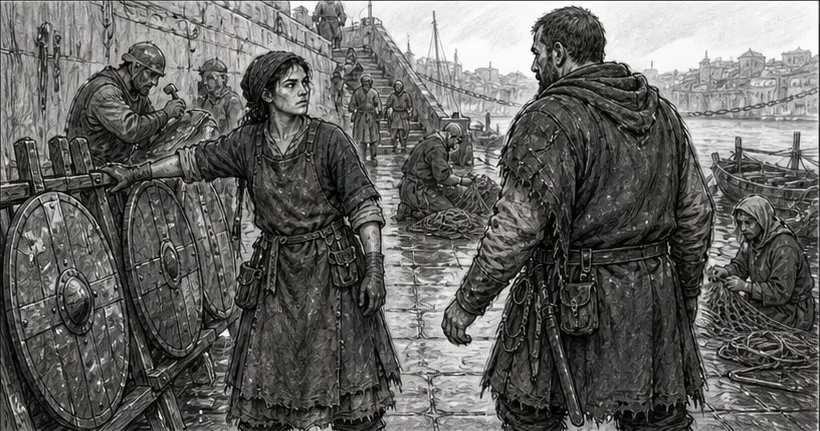
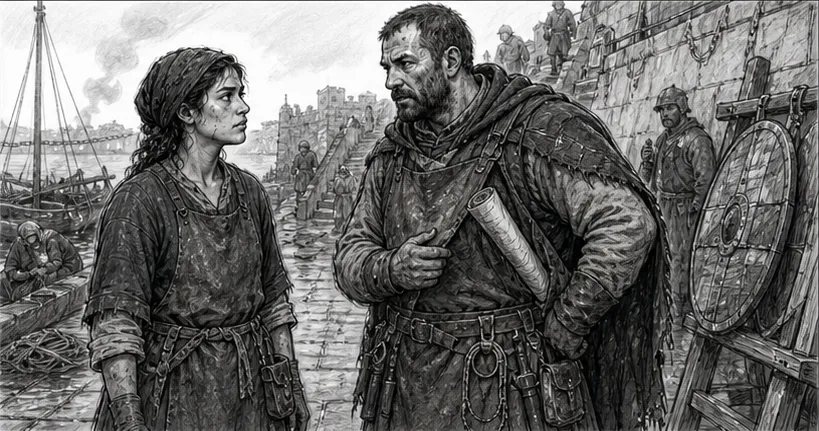
The agent split the scene into seven story beats. Each beat got a storyboard frame to keep or redo.
The first four of the seven beats are shown here.
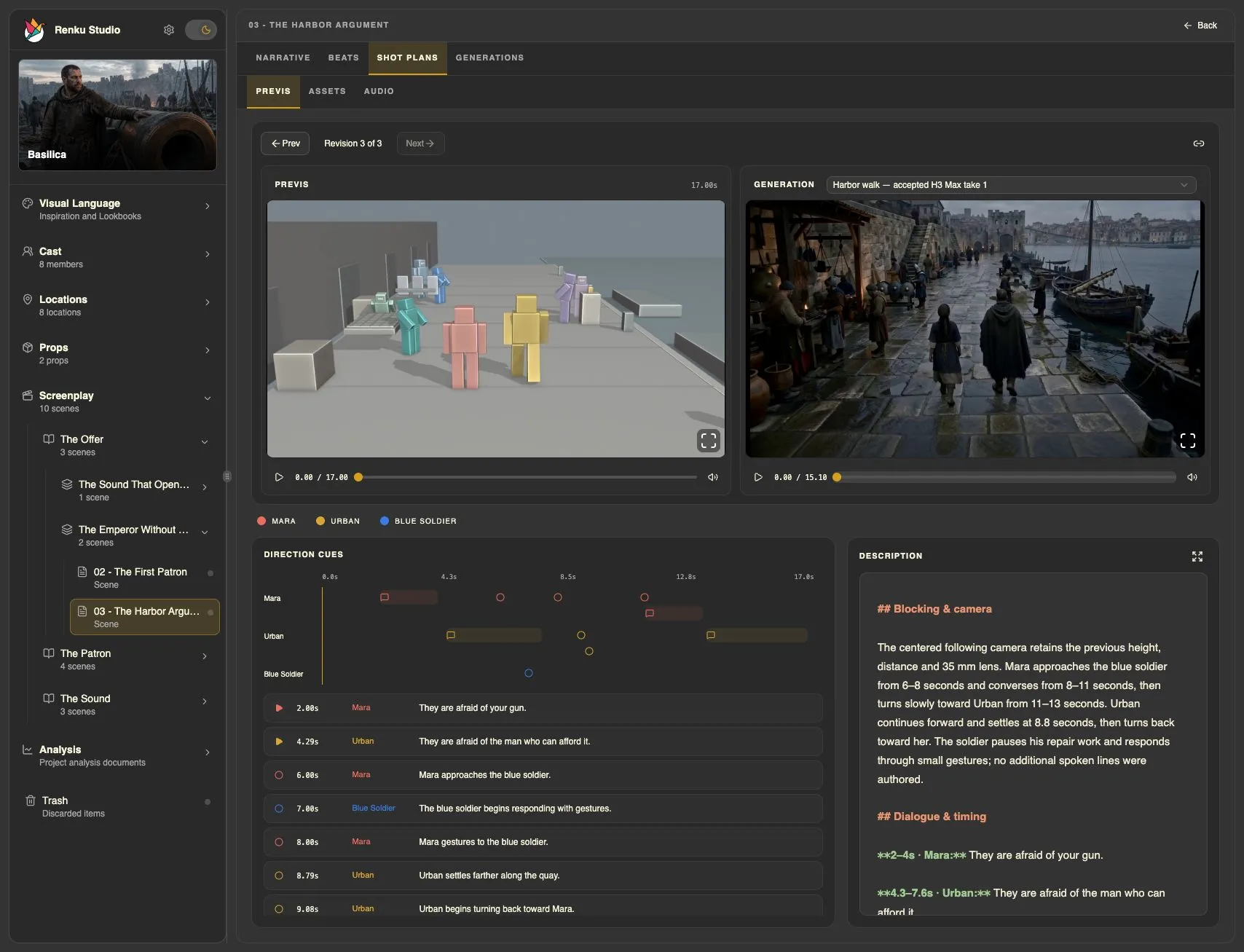
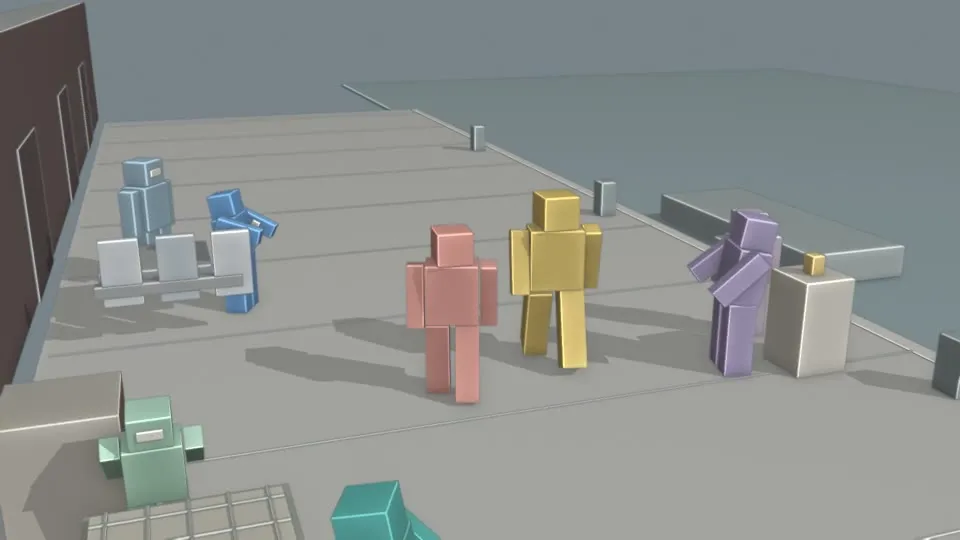
Before paying for video, the agent blocked the walk in Blender: who stands where, where the camera goes, and when each line lands.
Three revisions. Revision 3, fitted to 15 seconds, became the motion reference for the take.
15 seconds from MiniMax H3 Max on fal.ai, following the previs motion and covering all six lines. The dialogue was recorded first and given to the video model as an audio reference.
What the take was given
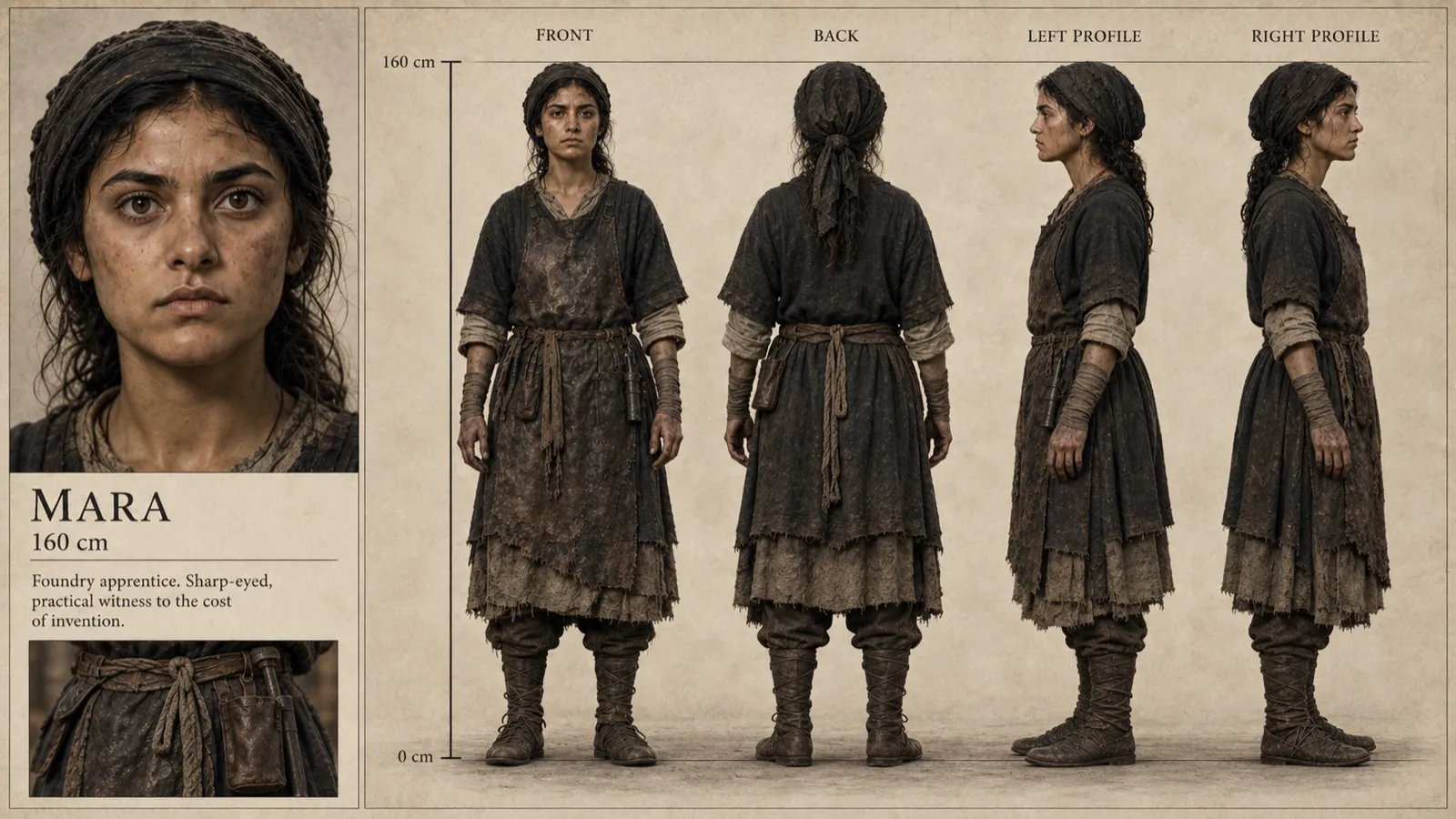
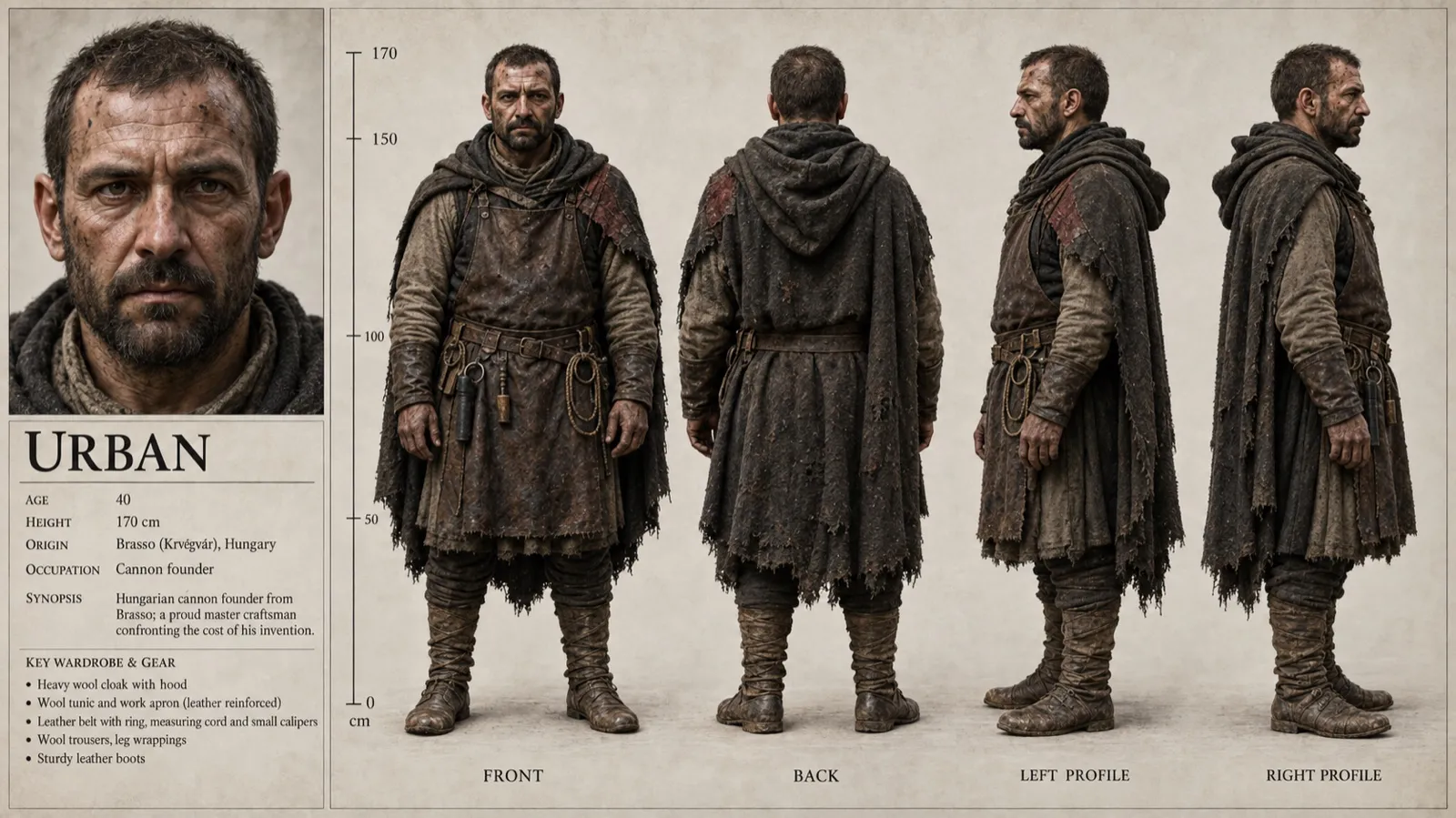
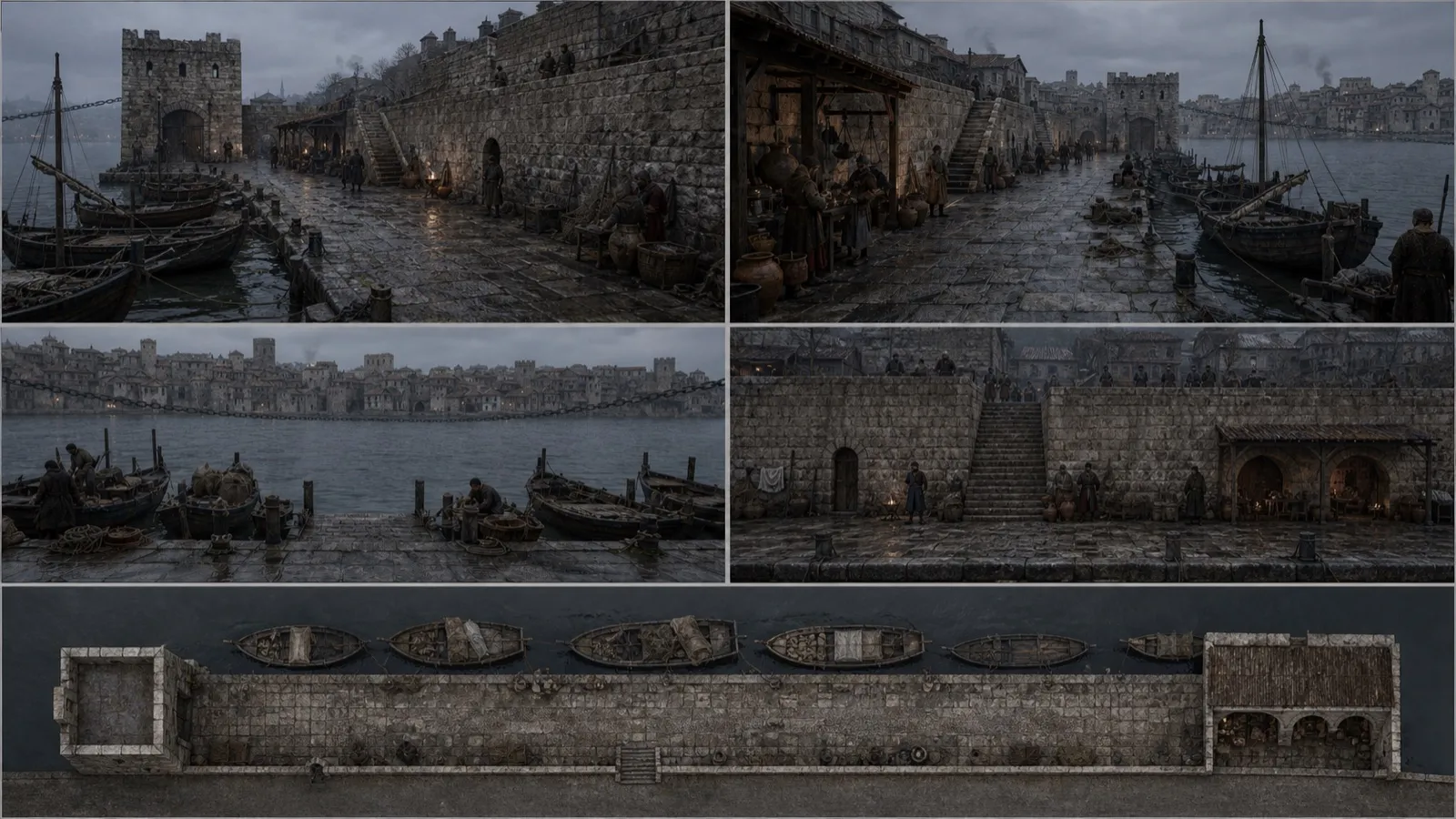
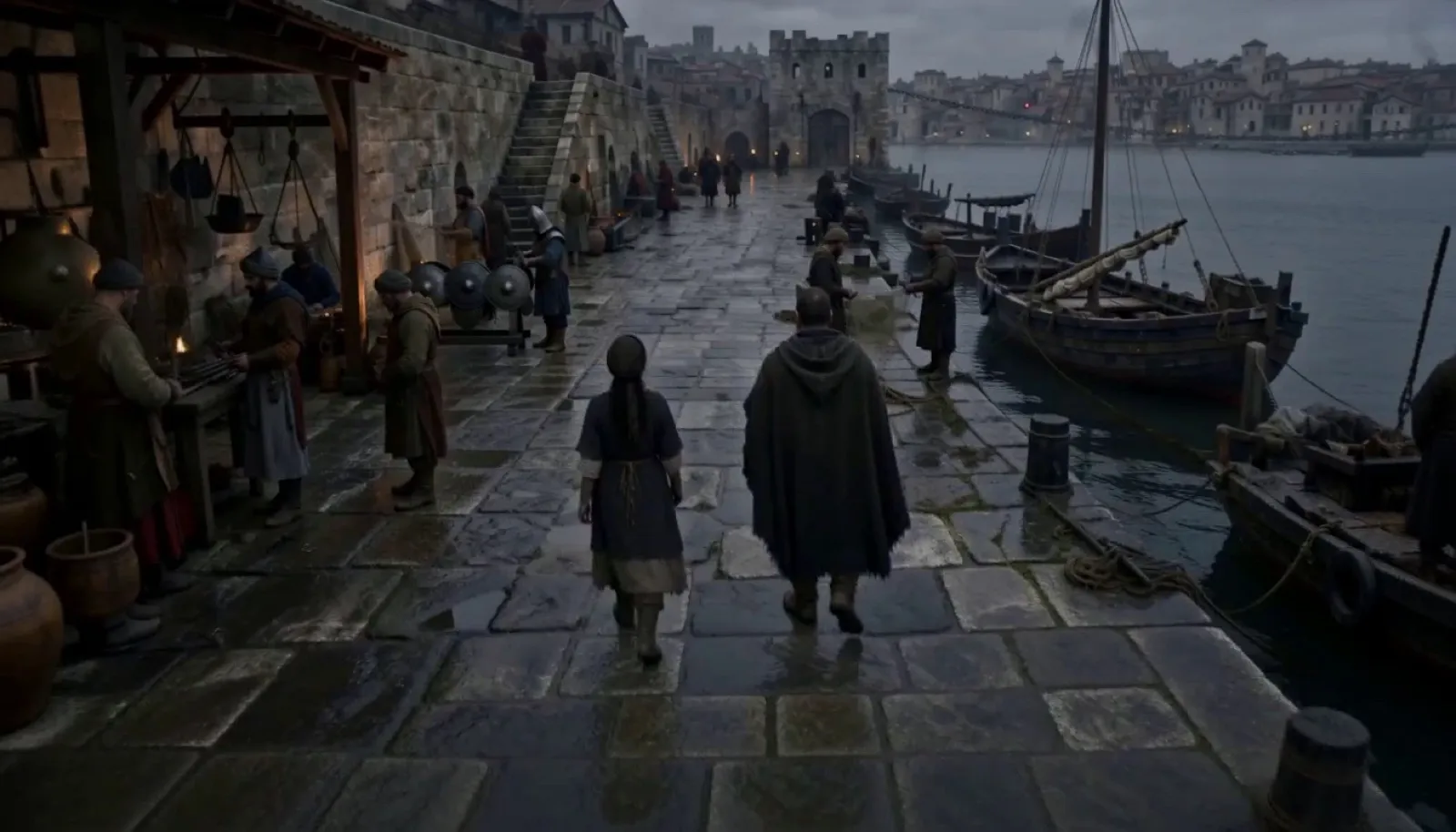
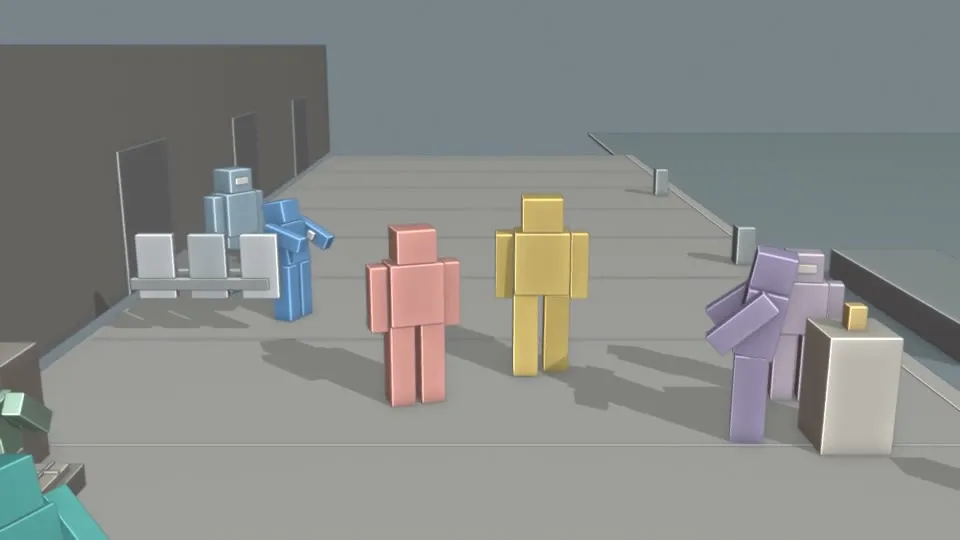
Create one continuous 15-second live-action historical film shot in Constantinople's working harbor in late 1452, before the Ottoman conquest. Begin immediately with real people and finished period surroundings. REFERENCE ROLES Image 1 defines Mara's face, 160 cm wiry build, dark wrapped hair, soot-marked skin and worn foundry work clothes. She is the coral/pink proxy in Video 1. Image 2 defines Urban's weathered bearded face, 170 cm build, heavy wool cloak, leather work apron, belt and boots. He is the ochre/yellow proxy. Image 3 defines harbor masonry, wet limestone, moored wooden boats, hemp ropes, nets, stairs, arches and pre-conquest Byzantine skyline. Its panels describe one location, never separate shots. Image 4 defines the finished photographic composition, cold gray dusk, tactile materials and restrained amber practical light. Preserve the two leads' identities from Images 1 and 2. Video 1 guides the camera trajectory, ground paths, staging, soldier interaction and continuous action. Its colored blocks are proxies; replace them with natural humans and period objects from the images. Audio 1 supplies the complete six-line English dialogue performance, alternating Mara and Urban. Preserve its words, speaker assignments, voices, phrasing and speech speed. Use Audio 1's performance timing instead of imposing different speech timing from the silent motion reference. Keep its brief pause before the final word. CAMERA AND ACTION One unbroken centered following shot, 35 mm lens feel, roughly 3.4 m above the quay and 9 m behind the pair, mild downward angle. Mara stays on screen left and Urban on right. Retaining wall and repair workers remain left; harbor and boats remain right. Track their moving midpoint, then settle; no orbit, reverse, zoom, insert or cut. Preserve natural full-body gait and grounded feet. 0–5.29s: the pair walk away along the quay, Urban half a pace ahead. Refugees mend nets; a monk tends a small shrine flame. 5.29–7.06s: Mara approaches the blue soldier by the shield rack on the left while Urban continues along the right. The blue proxy becomes a tired Byzantine repair soldier in muted blue wool and worn protective clothing. 7.06–9.71s: Mara pauses beside the soldier and gestures briefly. The soldier acknowledges without intelligible speech. Urban settles farther along the quay around 7.76s and turns back toward Mara. Keep their lateral separation and approximately 1.3 m forward difference. 9.71–11.47s: Mara slowly turns her head and torso toward Urban while remaining planted. The soldier returns to repairs. 11.47–15s: hold their separated positions, with the camera settled. Mara's challenge meets Urban's defensive restraint. Keep the rolled cannon drawing edge under his coat; Urban closes the exchange with a quiet, clipped final word. Do not restart their walk. DIALOGUE AND SOUND Audio 1 is the dialogue performance authority. All six lines must be heard once, in this exact order, with no substitutions or narration: Mara: "They are afraid of your gun." Urban: "They are afraid of the man who can afford it." Mara: "Then do not go to him." Urban: "A design unfired is a corpse with clean hands." Mara: "And a design fired?" Urban: "Work." Aim for Audio 1's approximate passages: Mara 0.12–1.85s; Urban 2.29–5.11s; Mara 5.39–7.40s; Urban 7.93–12.01s; Mara 12.42–14.08s; Urban 14.28–14.81s. Match visible mouth activity only to that person's speech; the other person listens. The soldier never speaks these lines. Do not compress the spoken delivery. Background water slap, rope and boat creaks, low indistinct harbor activity, soft wind and sparse shield-repair taps stay below the dialogue. No music. Maintain cold overcast dusk, sparse amber flames, damp stone, rough cloth, soot and exhausted natural skin. Keep props, supporting workers and boats in Video 1's relationships. Do not show proxy anatomy, flat proxy colors, transformation effects, modern objects, fantasy armor, minarets, reference-sheet borders, text, captions, labels, watermarks, montage or added foreground crowds.
Basilica, a short film by Kerem Karatal. Made with Renku.
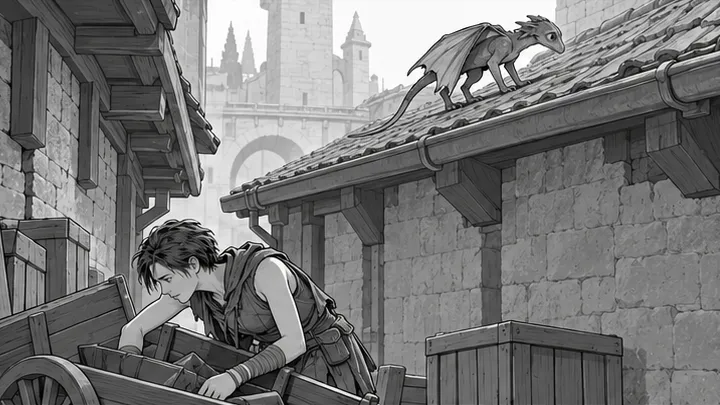
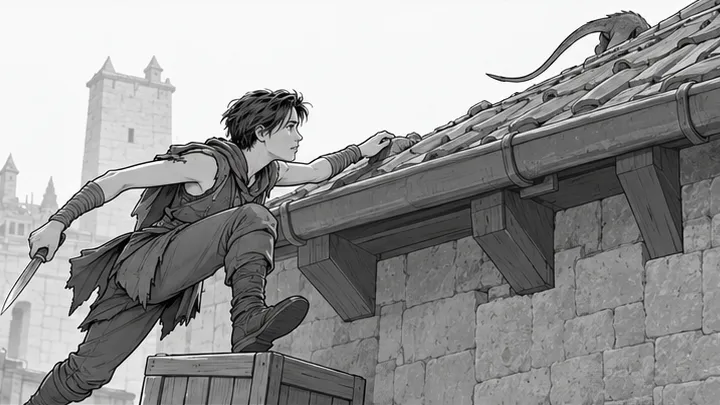
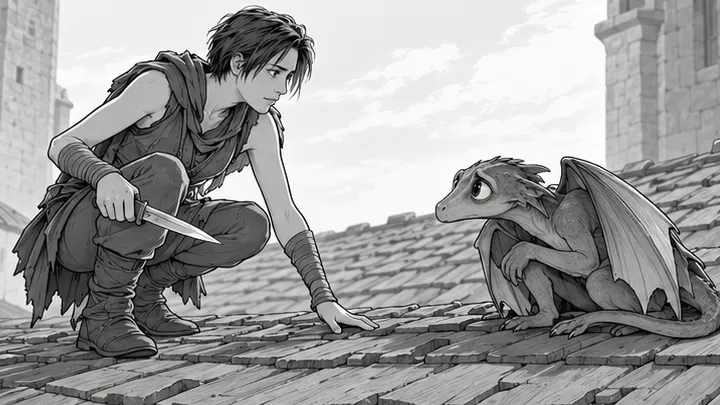
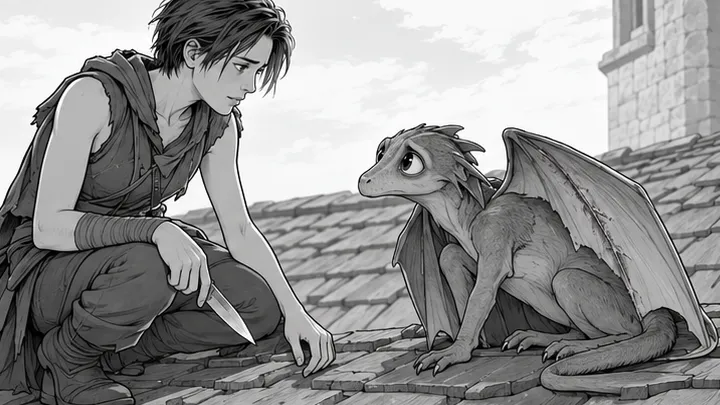
Scene 3 of Sintel, imported from Final Draft. A girl alone in a back alley, and a wounded creature on the roof.
Imported from Final Draft. Scene 3 of 14.
EXT - BACK ALLEY NEAR MARKET - DAY
On a shingled rooftop, a SHIVERING WINGED CREATURE hobbles weakly across the gutter. In the alley below, a slender young girl clad in leather rummages through empty carts.
Shaman (V.O.)
A perilous quest for a lone hunter.
Sintel (V.O.)
I have been alone for as long as I can remember.
SINTEL pushes aside a crate, revealing her desperate eyes. Suddenly the whimper of a creature sounds from behind her. In a flash SINTEL draws her knife and wheels around.
She glances up and sees the TAIL of a creature slip away over the gutter. Sintel’s eyes flare. She hops onto a crate and vaults nimbly onto the roof, her knife drawn. Sintel faces the shivering BABY CREATURE, dog-/dinosaurlike, with big frightened eyes. A shadow from above crosses the roof.
Sintel hesitates for a moment, still gripping her knife. Her stomach growls momentarily.
But the creature looks up at her with pleading eyes. Sintel focuses on a large nasty slash in its wing. She lowers her weapon.
Four story beats, storyboarded together in one request with Codex’s built-in image tool.
These four beats cover the whole scene.
Sintel © copyright Blender Foundation | durian.blender.org. The script is used under CC BY 3.0. Everything else shown here, including the storyboards, was made in Renku Studio.
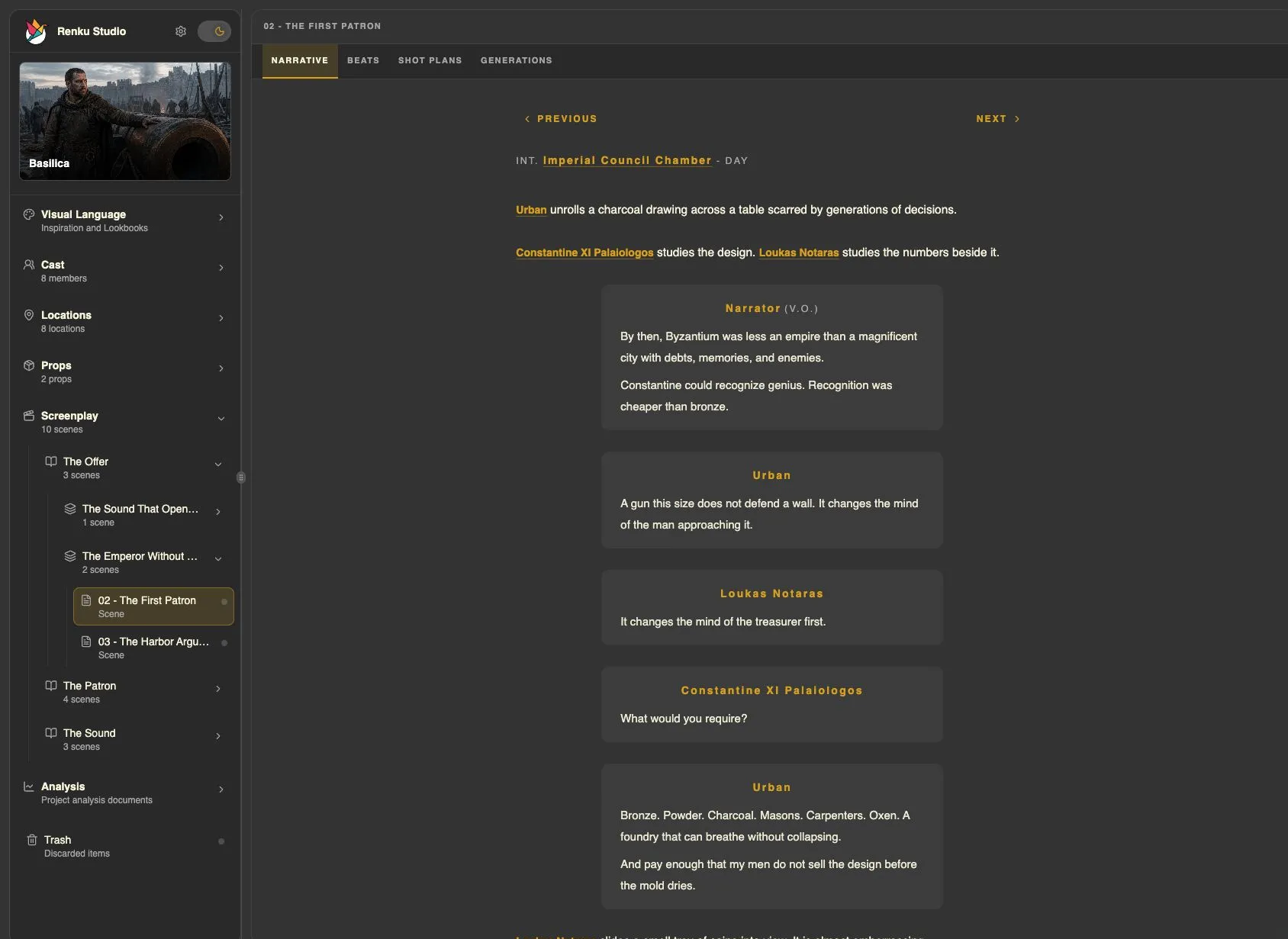
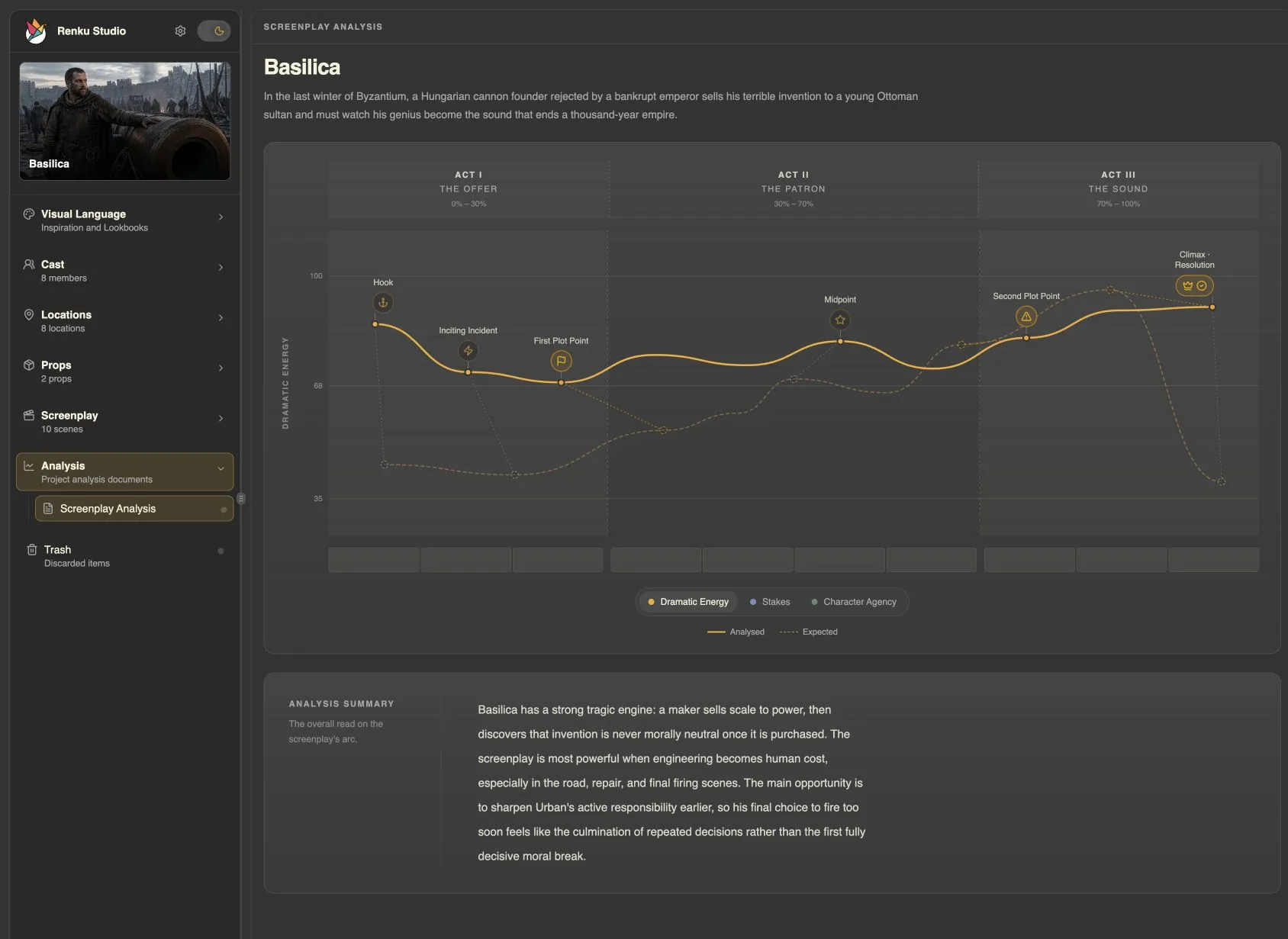
Script & Structure
Keep writing in the screenplay editor you know. Bring your script into Renku through FDX to explore its structure and develop scenes on screen, then return to your editor with a clearer sense of what to rewrite.
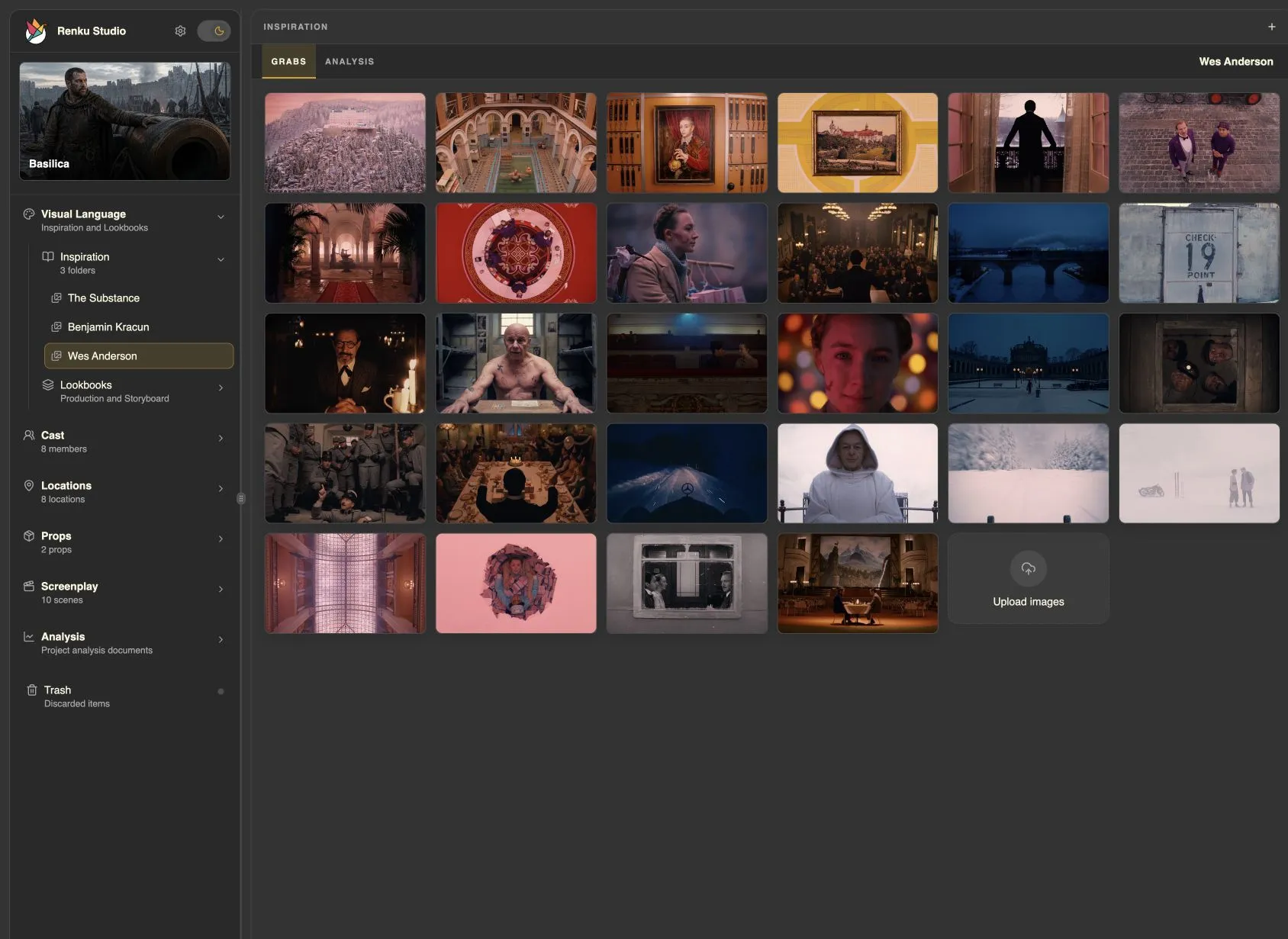
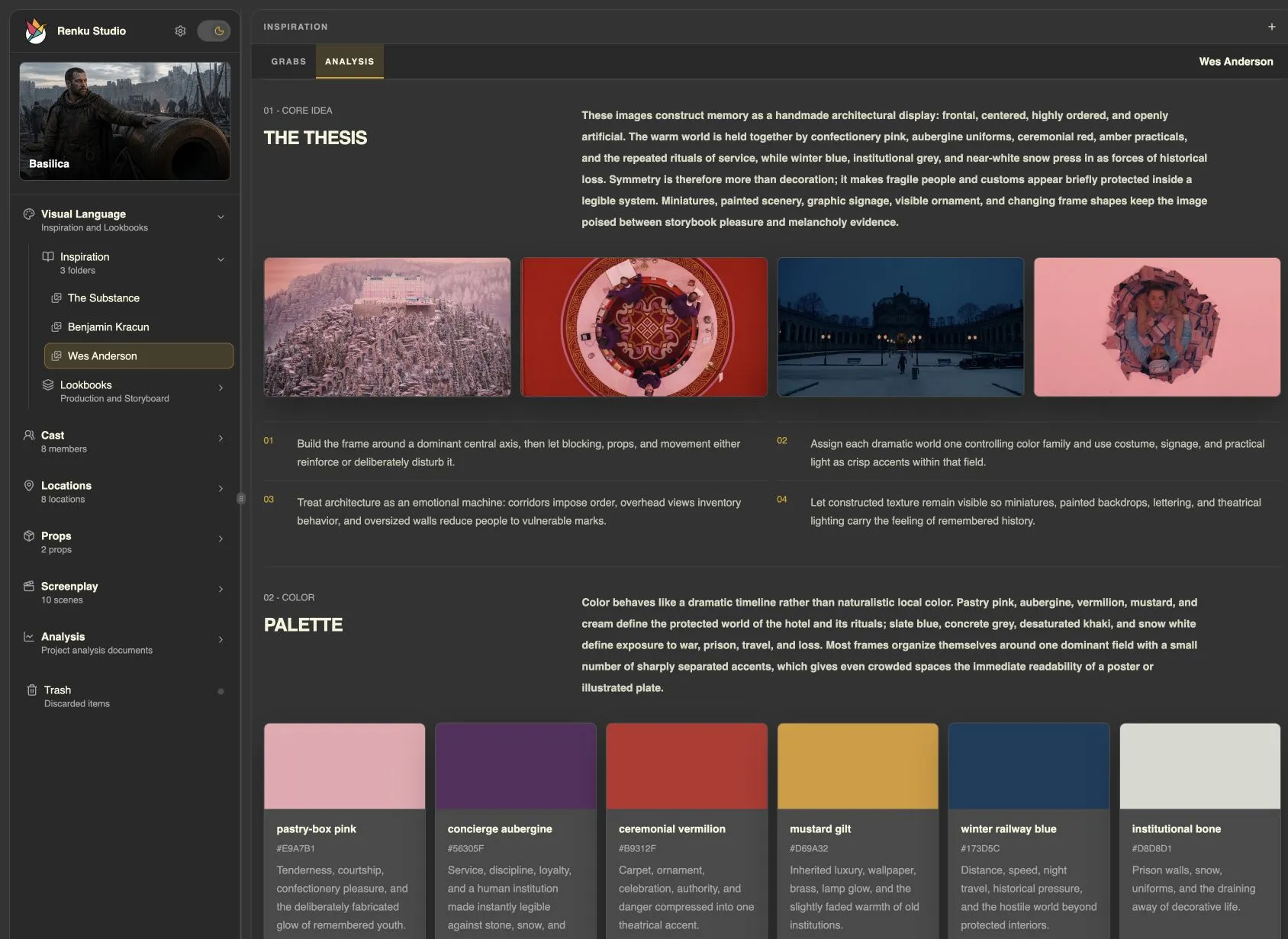
Visual Language
Collect stills from the films and cinematographers you love. Explore their use of color, light, and composition with your agent, then build lookbooks that give your cast, locations, and generated footage a shared visual direction.
Cast Development
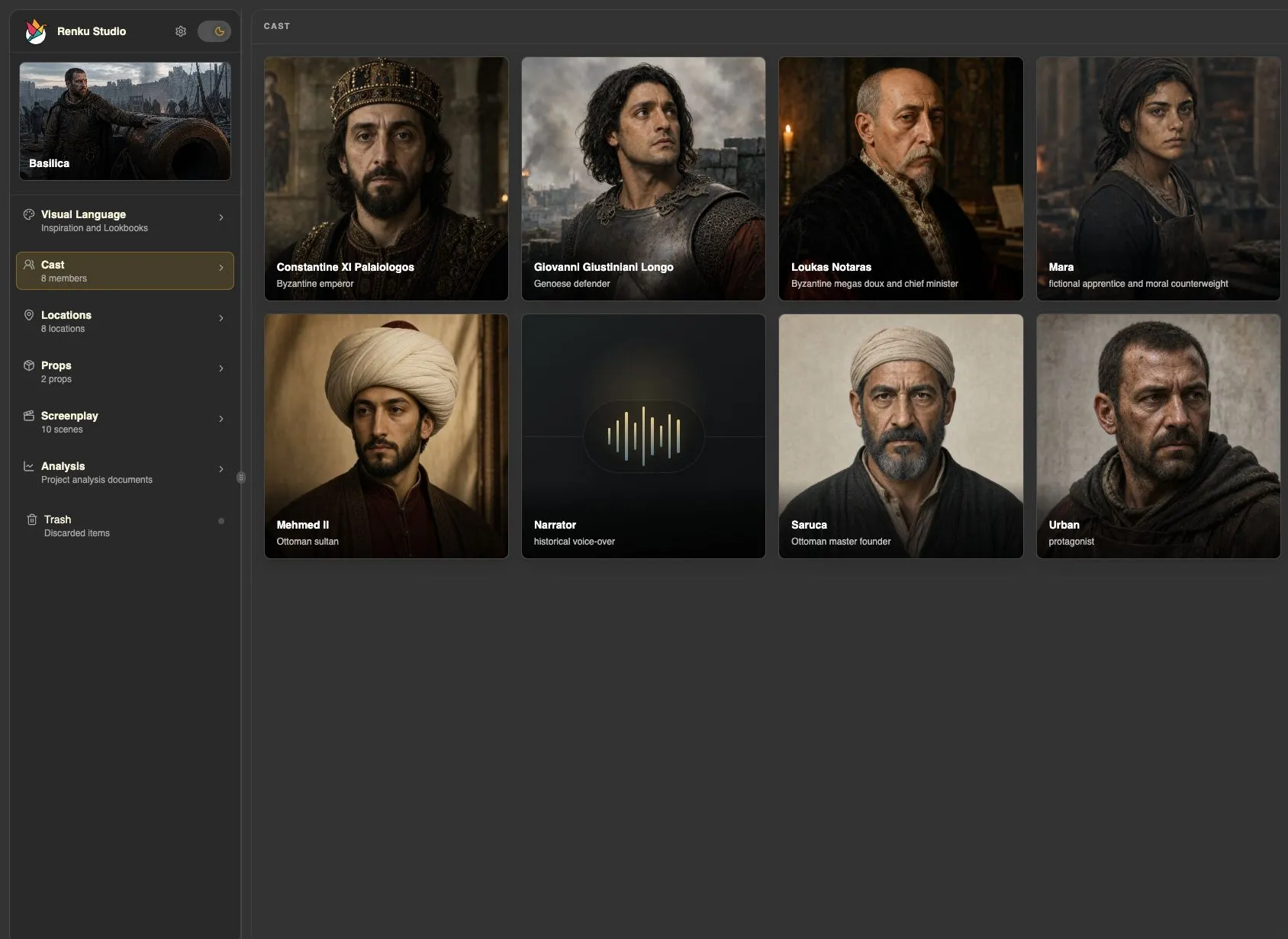
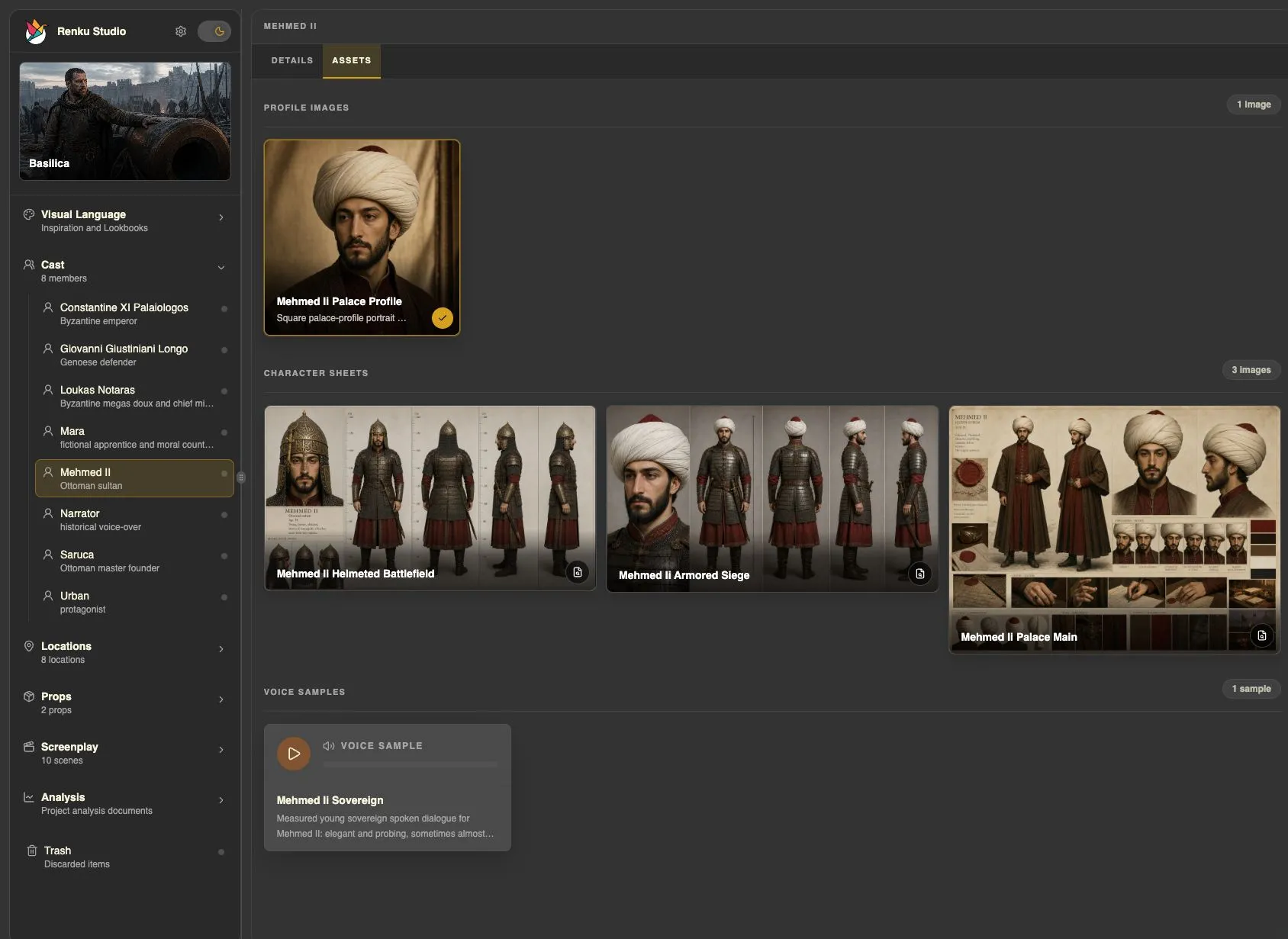
Develop the people behind the dialogue: what they want, what they need, how they change, and how they sound. Build portraits, turnarounds, and expression studies to give each character a shared reference across storyboards and generated takes.
Locations
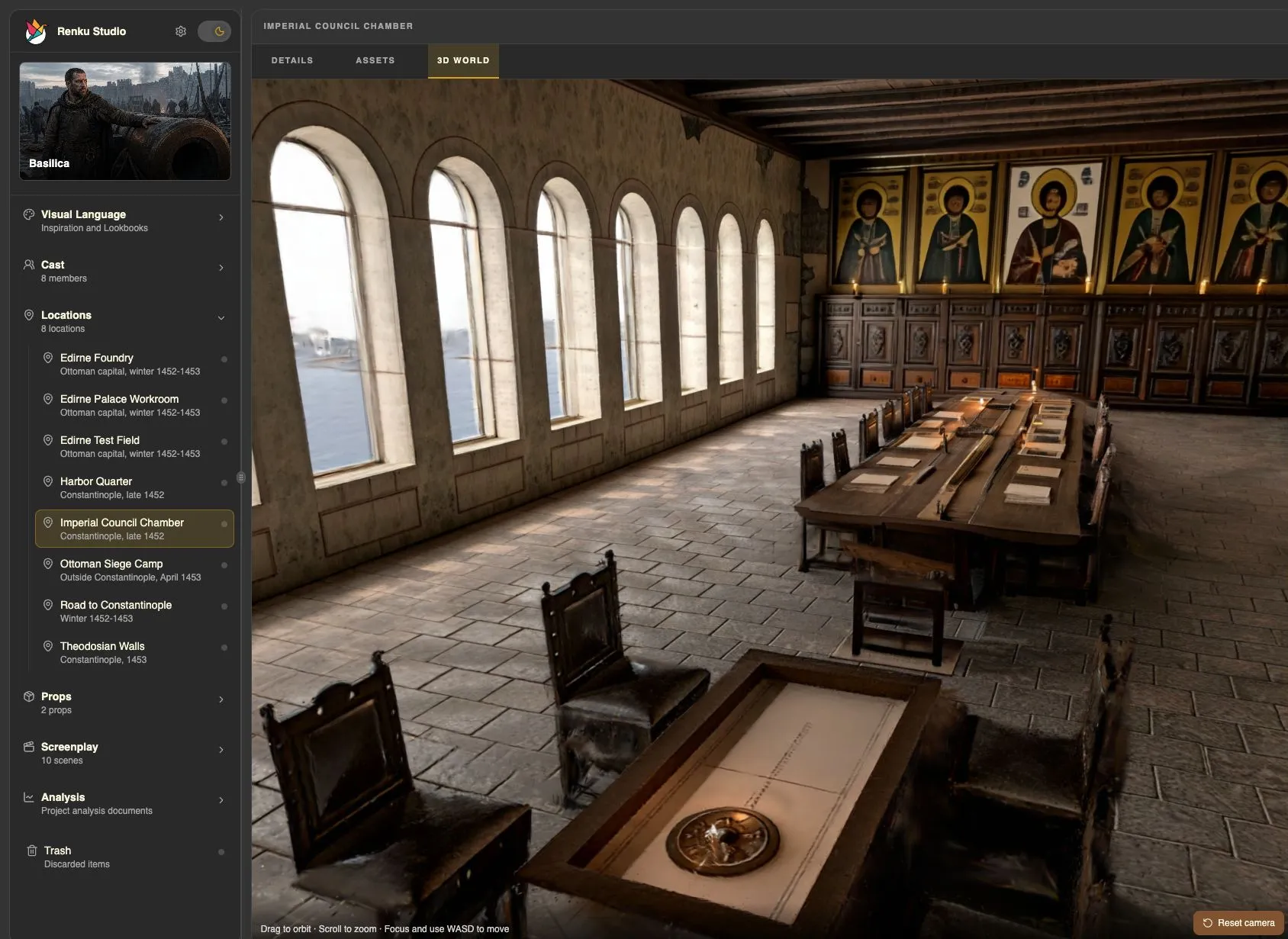
Build a location library straight from the script — each with period, season, and visual notes. Develop reference imagery, then step inside an explorable 3D World before anyone drives to a scout.
Beats & Storyboards
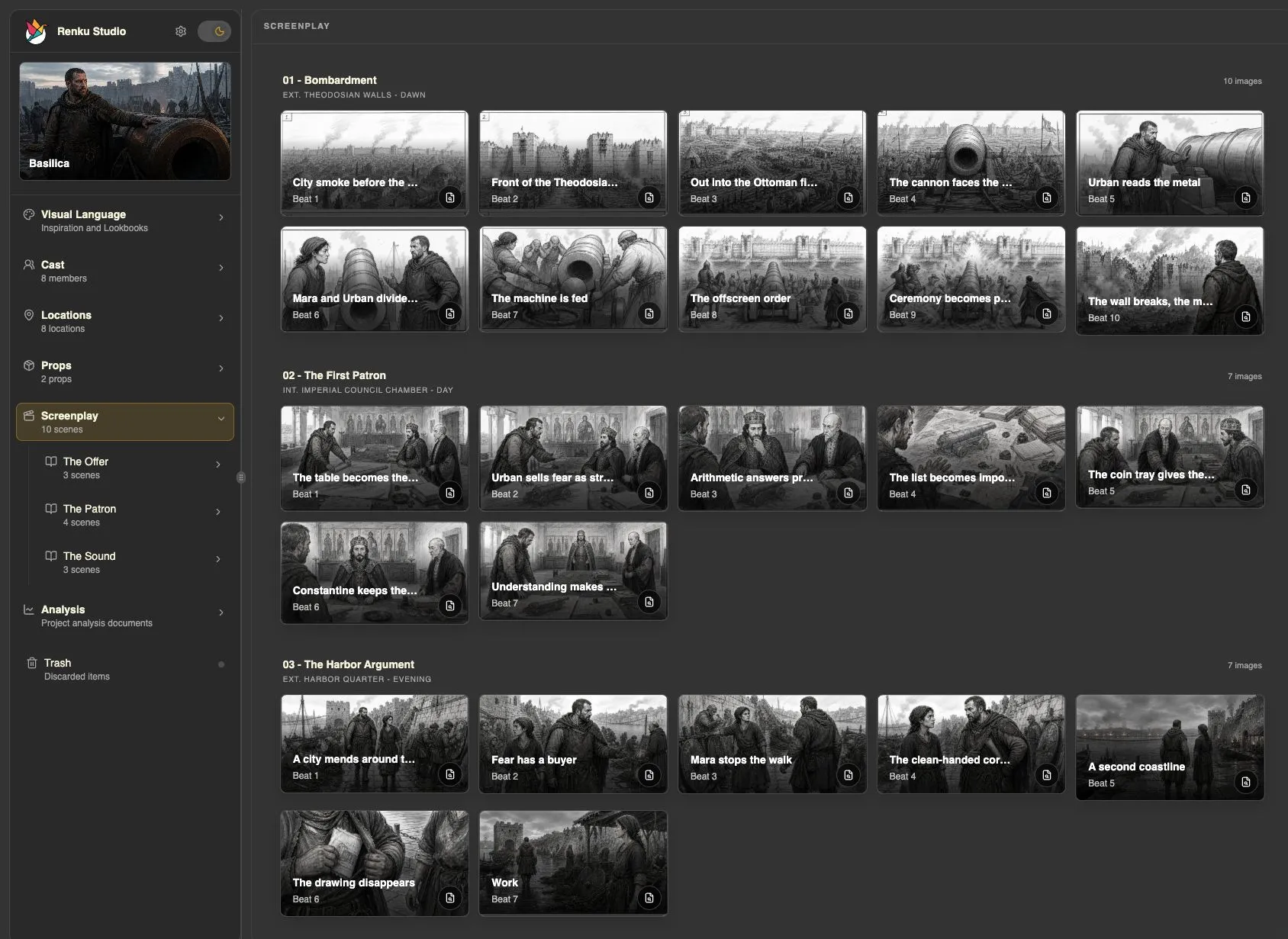
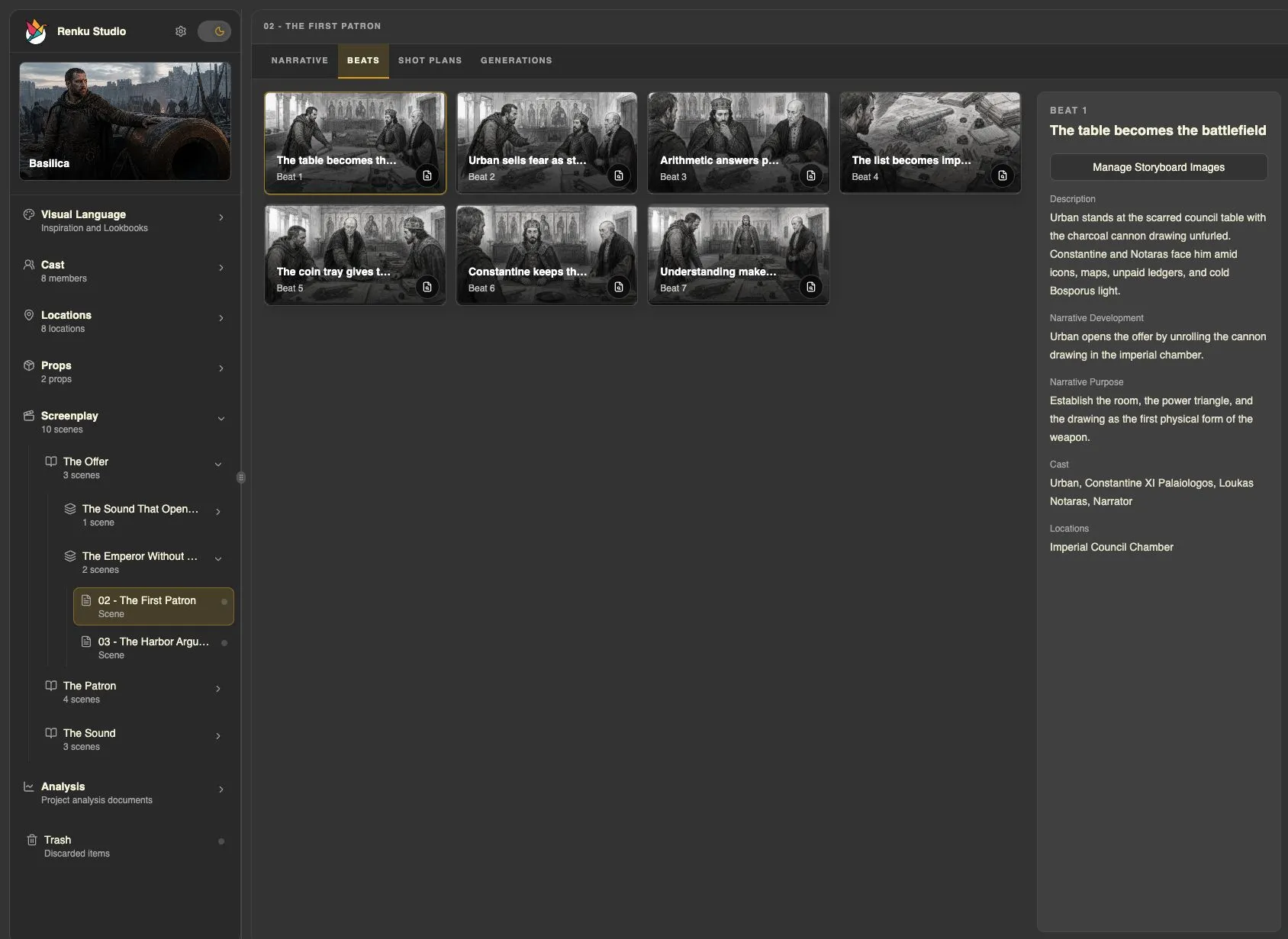
Find the moments that move a scene forward: a revelation, a hesitation, a shift in power. Develop those beats with your agent and explore them in storyboards to see how the scene holds together.
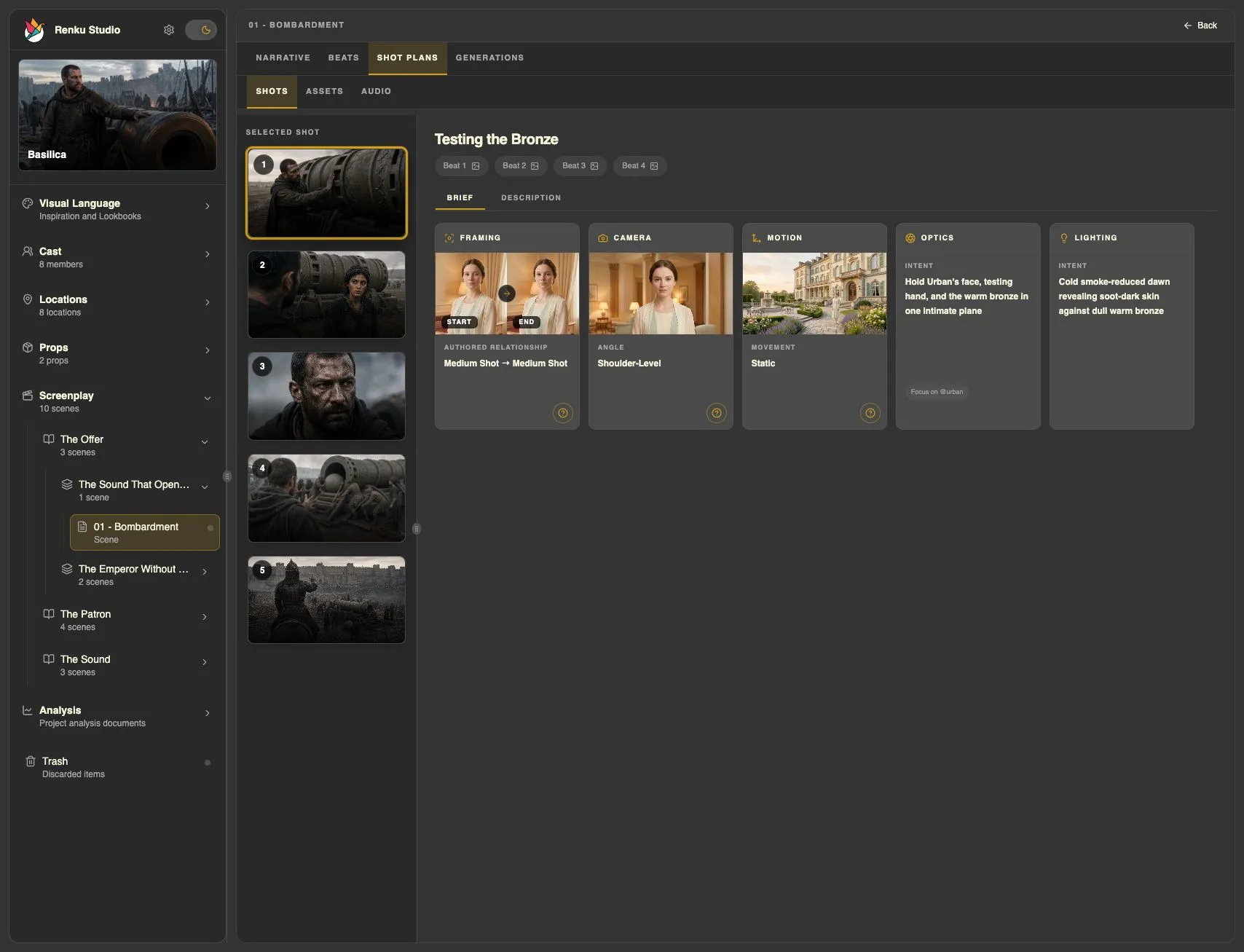
Shot Planning
Work out your coverage in a Shot List, or direct the scene in motion with Blender Previs.
Build coverage shot by shot, with framing, lenses, and visual references together. Connect each camera decision to the story beat it serves.
Work with your agent to stage characters and cameras in Blender. Refine positions, lenses, and action and dialogue timing down to the frame, then compare the render with an AI-generated take.
AI Production
Bring your cast, visual references, and shot direction into AI generation. Review each take and refine the performance as you build a fully AI film, develop shots for a hybrid production, or explore a scene before a live-action shoot.
Connected providers





Who it’s for
Whether your next shot comes from a camera, an AI model, or both, it starts with your direction. Renku brings story, visual development, precise previs, and generation into the hands of one filmmaker.
Walk into every meeting with your film already visible. Test the expensive ideas on screen before they cost you a shooting day.
Give each generation a directorial brief: cast, look, camera, blocking, and timing. Build fully AI scenes or develop footage alongside live action.
Keep writing in the editor you know. Bring FDX revisions into Renku and see how the structure, pacing, and characters play on screen.
Explore how a scene feels through its lens, light, and composition. Share lookbooks, boarded coverage, and moving previs with your director and crew.
Make the film tangible before the pitch. Show the arc, the faces, the blocking, and generated footage alongside your logline.
Test the blocking and camera in Blender before committing to a shooting day or another generation. Refine the scene while changes are easier to make.
Keep your screenplay, cast, locations, look, Beats, Shot Plans, and takes together. Review script changes with the existing production work in view.
Frequently asked questions
A few practical answers before you step into the director’s chair.
Getting started means talking to an AI agent and becoming familiar with Renku Studio. You don’t need to write code or assemble a full film crew. Renku’s agent skills help with model-specific prompting and gathering the references and context needed for continuity.
Directing a good film still takes creative judgment. Storytelling, photography, composition, and an eye for what works will help you get better results. You can start without that experience and learn as you go—Renku is also a place to practice directing and develop your taste.
You can import a screenplay in Final Draft (.fdx) format, which is preferred, or as a PDF. If you use a PDF, review the imported result for accuracy.
You can also work with the AI to develop your screenplay scene by scene. Renku isn’t a full-fledged screenplay editor and isn’t trying to be. For dedicated screenplay work, use your preferred screenplay authoring tool.
Start with your screenplay and find the film’s visual language. Develop lookbooks, cast, locations, and scene beats, then plan your coverage with a Shot List or stage the action in Blender Previs. Generate dialogue and video, review each take, and refine it with your agent.
Follow the first-scene tutorialYou direct the film: its characters, locations, visual style, performances, composition, and camera movement. Use Shot Lists to plan your coverage shot by shot, or Blender Previs to stage characters and cameras and refine movement and timing before generation. These tools give the AI a concrete plan and visual references to follow.
AI generation won’t always match what you have in mind. Depending on the model and the scene, you’ll often need multiple takes. Review the results, adjust your direction, and generate again until you have a take you want to use.
You can choose from the supported generation models and providers, using different ones for different parts of your production.
Use character sheets, location sheets, voice samples, and other references to guide generation across shots. Renku and its agent skills keep that context connected to your production.
Create as many references as your story needs: different wardrobes, weather or lighting conditions, or a character’s changing physical state within a scene. Review the results as you go; continuity also depends on the model and the references you supply.
Yes, including real photographs and recorded media. Make sure you have the necessary rights to use the material you bring into your project.
Providers and models set their own rules for reference material, and some restrict real-person images or videos. Check the requirements of the model you plan to use.
Renku Studio and its agent skills are free and open source. For media generation, you connect directly to providers using your own API keys and pay their rates. Renku doesn’t sit in the middle or add a generation markup.
Your generation costs depend on the providers and models you choose and how much you generate. Any fees for your AI agent application are separate.
Renku doesn’t claim ownership of your work. It sends generation requests to the providers you choose; your rights to their outputs depend on the provider and model terms, and on your rights to the source material.
Check those terms before commercial use. Commercial permissions can differ between providers and models.
Yes. Ask the agent to export your generated video, audio, and other assets to a folder, then import them into your preferred editing tool for assembly, sound work, and finishing.
Renku doesn’t currently provide a built-in editing handoff workflow. An agent with computer-use capabilities may also be able to help you with the import process.
You can remove Renku and its agent skills while keeping your films. Our uninstall guide covers macOS and Windows, including how to keep or remove saved settings and credentials.
Uninstall Renku on Mac or Windows
Bring in your screenplay. Find its look, stage the action, and make a first take. Let what you see shape what comes next.
Download Renku