

Before you begin
Your project and a direction to explore. This walkthrough uses an Inspiration collection and its analysis; Lookbook Designer can also work from a direct brief or named references.
What you’ll do
A Production Lookbook for the final film and a Storyboard Lookbook for Beat Storyboards.
Create your Production Lookbook
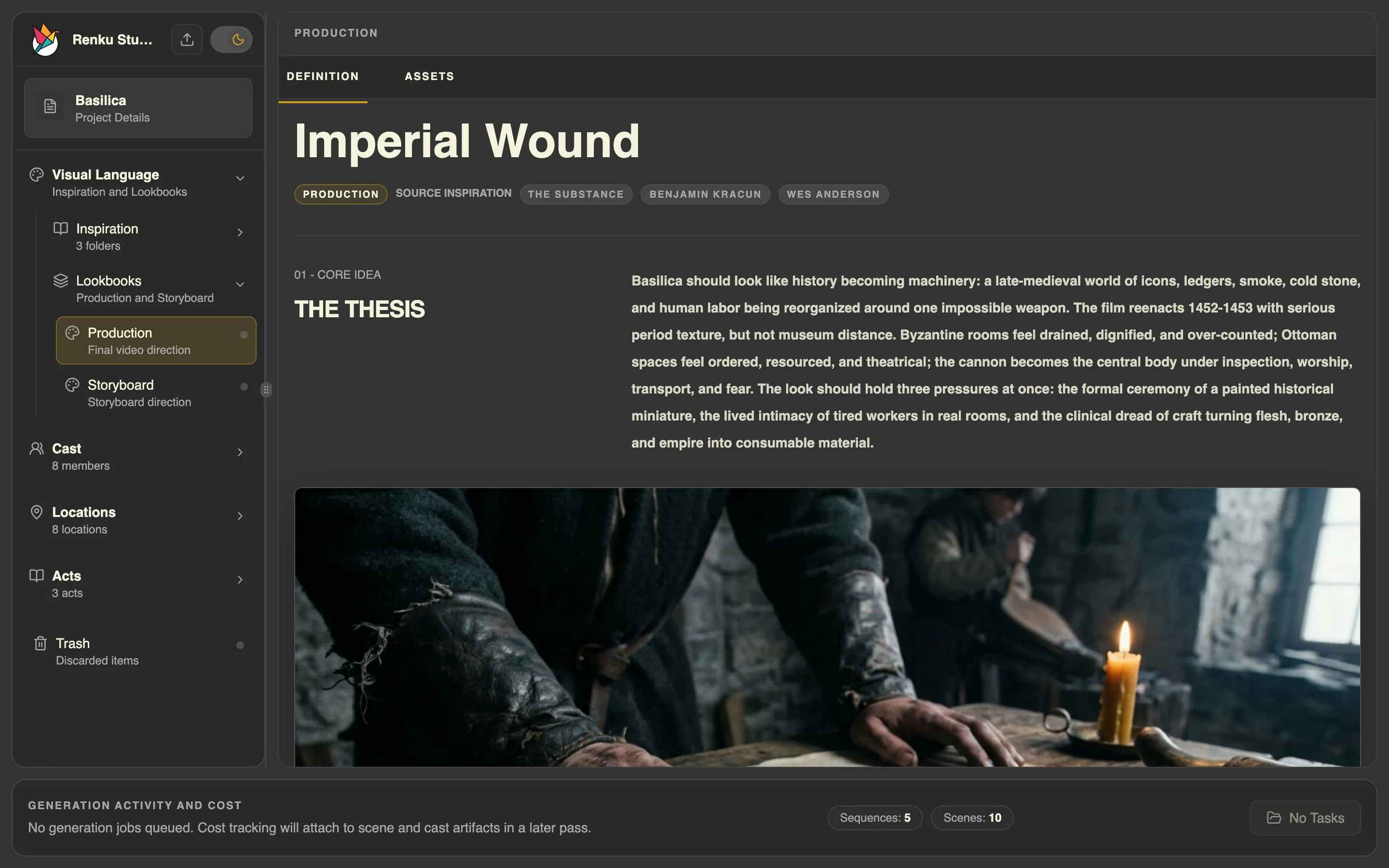
The Lookbook Designer skill turns project context and your direction into a complete Production Lookbook. It develops the film’s visual thesis, palette, mood, composition, lighting, texture, and camera guidance. You can start from Inspiration folders, existing analyses, named references, or a direct creative brief.
- Ask for a Production Lookbook and identify any Inspiration folders you want it to draw from. The skill gathers the relevant sources and creates or updates the project’s Production Lookbook.
- Review the result under Visual Language > Lookbooks. Add direction where you have a preference, such as “Keep the symmetry, but make the palette more subdued.” You do not need to supply every visual category yourself.
- When you want visual examples or a sheet, ask for them. Lookbook Designer handles the written direction; Media Producer handles generating and attaching the images.
Create a Production Lookbook for my film using the Wes Anderson inspiration folder.
Set the storyboard style
The Lookbook Designer skill also authors the Storyboard Lookbook. This defines how Beat Storyboards look: their medium, realism, finish, tonal range, color, and visual conventions. It can be realistic, painterly, hand-drawn, or another treatment you choose.
- Ask for a Storyboard Lookbook. Specify a style if you have one in mind, or ask Codex to propose one for your project.
- Review the appearance guidance and refine it in conversation. Scene action and production camera coverage are developed in later stages.
- Ask for a Storyboard Lookbook Sheet to see the treatment as an image. Media Producer generates it; Movie Director uses the reviewed sheet in the normal storyboard workflow.
Create a Storyboard Lookbook with a loose charcoal style, then generate a sheet so I can review the look.
Before moving on
Both lookbooks are authored, and you can distinguish the final film’s appearance from the boards’ presentation. Any generated sheets agree with the direction you intend to use.