

Before you begin
A Renku project open in Studio and an agent working in the same project folder. You can collect Inspiration before you have a screenplay.
What you’ll do
An Inspiration collection and an analysis you can use to brief your lookbooks.
Analyze your screenplay, if you have one
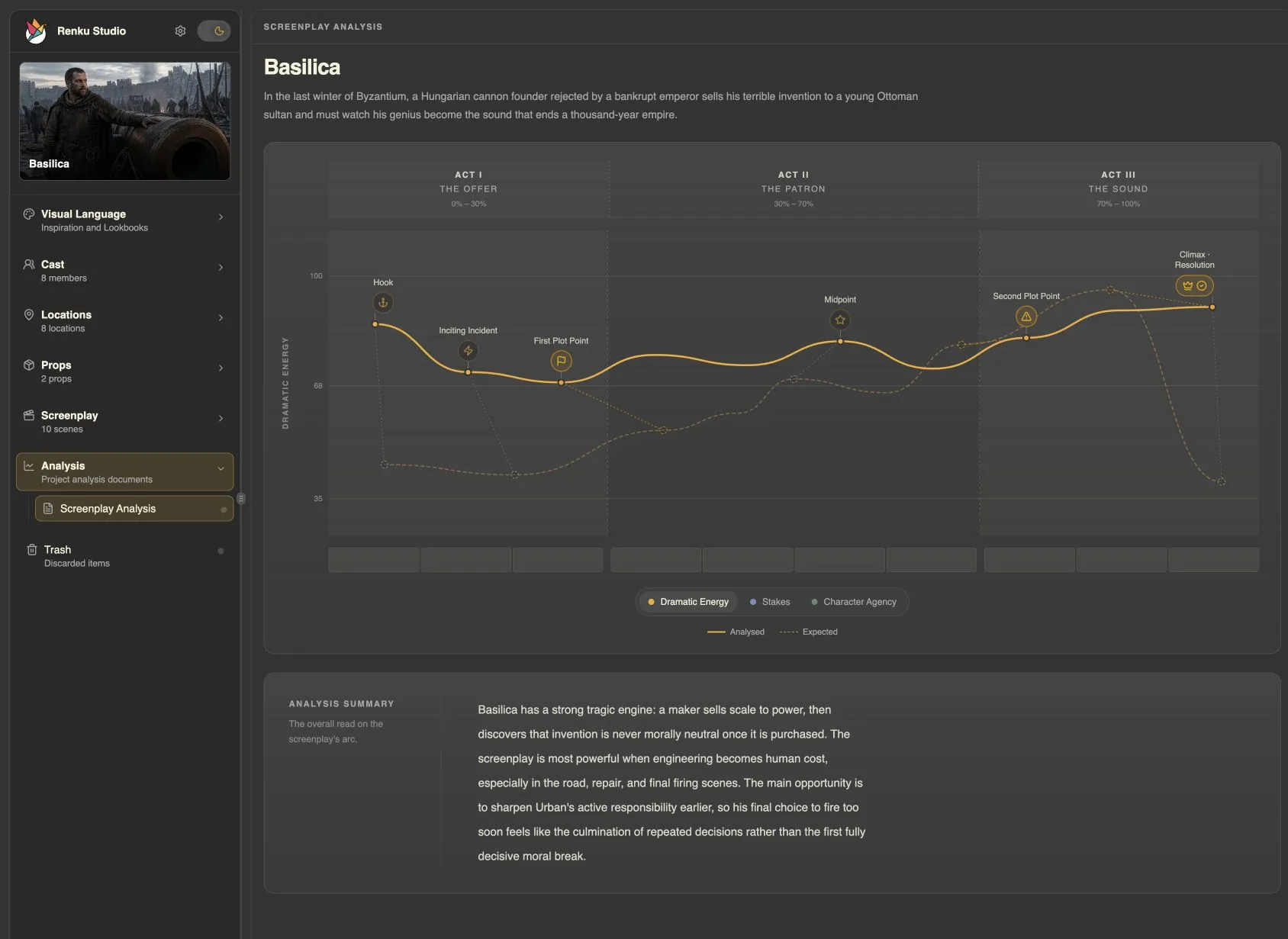
If you already have a screenplay, the Screenplay Analyst skill creates a saved three-act critique and Character Arcs for the protagonists and key supporting roles. Its standard analysis covers dramatic structure, key story beats, and scores for Dramatic Energy, Stakes, and Character Agency; it does not rewrite the script. Otherwise, skip to collecting Inspiration.
- Ask Codex to analyze your screenplay. The skill handles the analysis, validation, saving a new active revision, and writing the main characters’ arcs.
- Open Analysis > Screenplay Analysis in Studio to review the chart and written critique. Open a main Cast Member’s Arc tab to follow their turning points across the screenplay. Minor and background roles do not receive arcs by default.
- Choose a scene to develop through this tutorial. If you would like help choosing, ask Codex to suggest a manageable starting point.
Analyze my screenplay.
Collect with a question in mind
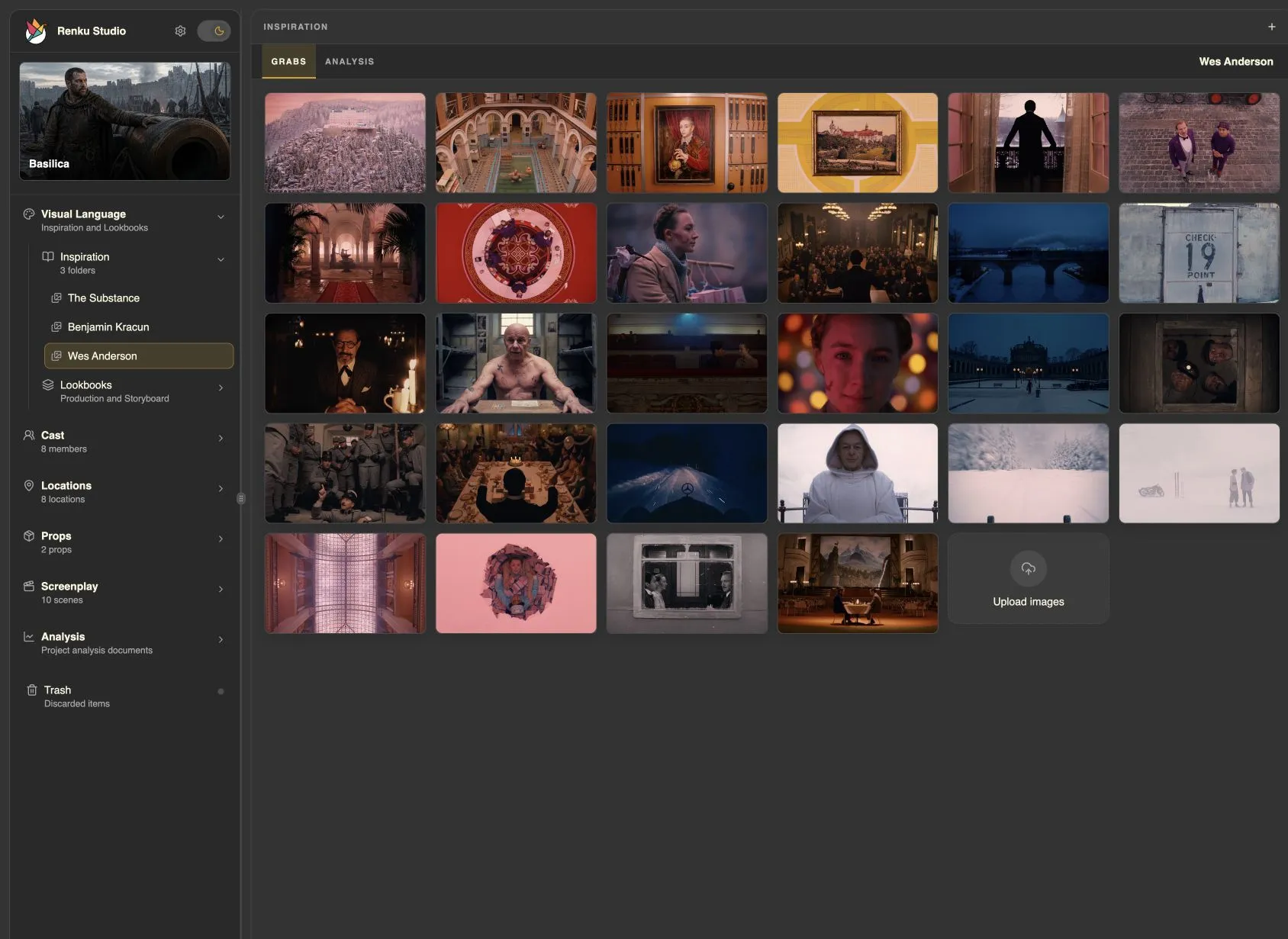
Start with the feeling of one scene. Ask your agent to find film stills, photographs, or paintings that help you explore its light, framing, color, and atmosphere. You can also add your own images in Studio.
- Tell Codex what kind of references you want and ask it to create an Inspiration folder and add images. You can name a source such as FilmGrab or ask it to suggest sources. Use images you have permission to use.
- Prefer to add your own pictures? In Studio, open Visual Language > Inspiration, choose New Folder, then drag files onto its Grabs area or choose Upload images.
- Review the collection in the Grabs tab, as in the Wes Anderson example above. Tell your agent what to keep, replace, or look for next. When the collection is ready, ask it to analyze the folder.
Find a few Wes Anderson film stills on FilmGrab that show color and symmetrical framing. Add them to a new Inspiration folder in this project so I can review them in Studio.
Analyze your inspirations
The Inspiration Analyzer skill studies the images in your folder as a visual collection. It uses the folder name as a reference hint and automatically covers the visual thesis, palette, tone and mood, composition, lighting, texture, and visual affinities, with observations grounded in the images.
- Open the Inspiration folder in Studio and ask Codex to analyze it. The skill inspects the supported images, writes the complete analysis, and saves it to the folder.
- Switch from Grabs to Analysis to read the result alongside your references. You do not need to list the analysis categories or ask the agent to save its work.
- Add your own questions or refine the emphasis through conversation. For example: “Also examine how doorways and windows frame the characters,” or “Go deeper on the use of negative space.”
Analyze this inspiration folder.
Before moving on
Your Inspiration Analysis is saved and reviewed. Next, use the collection and analysis as sources for your project’s lookbooks.