

Before you begin
A scene with reviewed Beats and Storyboards, plus established visual direction.
What you’ll do
A Shot List based Shot Plan with purposeful coverage and reviewed Shot Images.
Create a Shot List
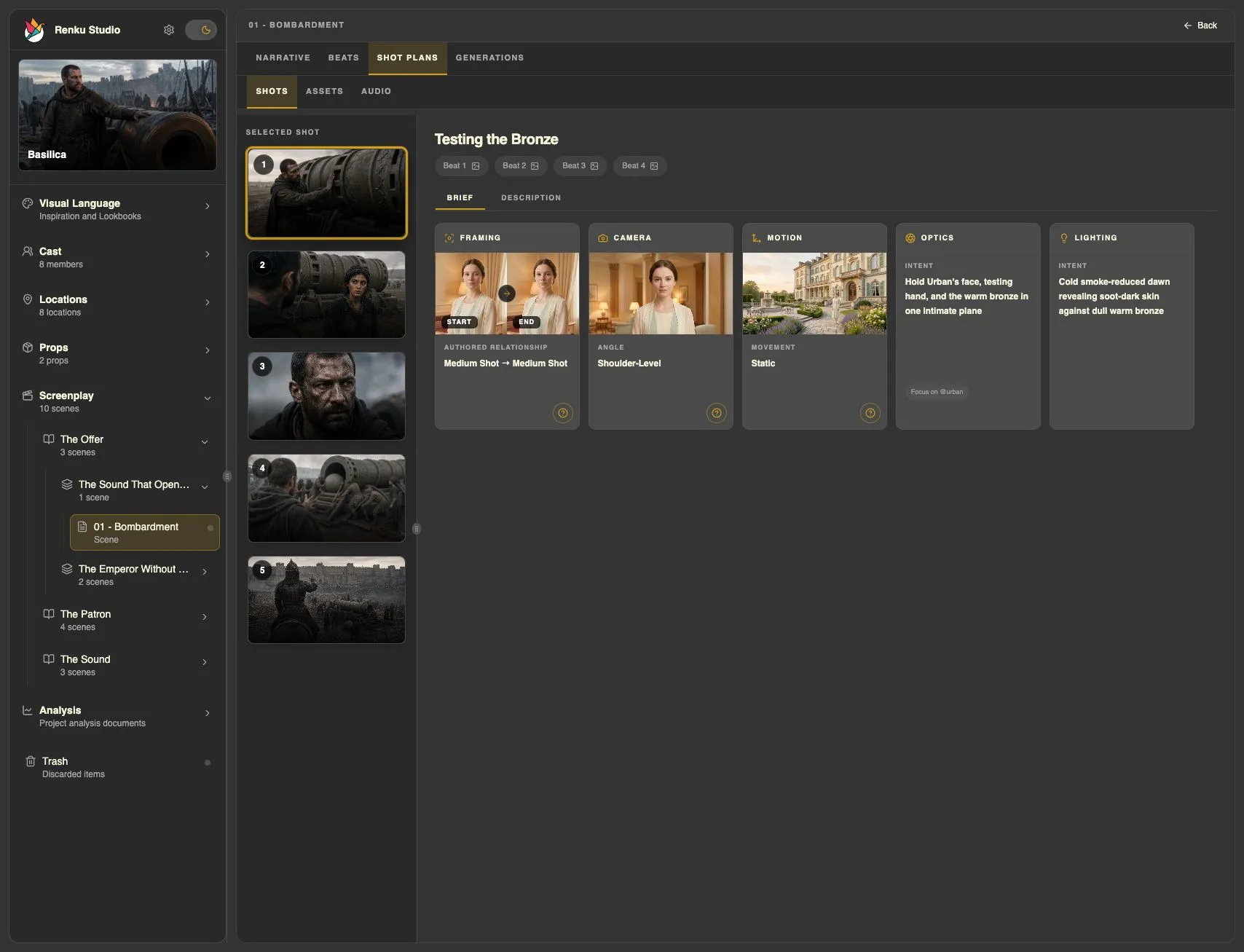
The Shot Planner skill creates a Shot List based Shot Plan from the scene and relevant Beat and visual context. It develops ordered coverage with framing, optics, movement, focus, lighting, blocking, and approximate duration where relevant.
- Open the scene and ask for a Shot List. If several plans exist, identify the one you want to revise or say that you want a new plan.
- Let the skill develop the coverage, or add your own camera direction. For example: “Favor wide shots and hold back the close-up until the decision.” You do not need to enumerate the plan’s technical fields.
- Review the plan in Studio and ask for changes to specific Shots, their order, or coverage. Shot Planner reads back and saves the changes through its focused workflow.
Create a Shot List for the current scene. Favor wide shots and save the close-up for the decisive moment.
Explore the framing with images
Shot Planner hands Shot Image generation to Media Producer. These images belong to individual production Shots and help you evaluate framing; they serve a different purpose from the earlier Beat Storyboards.
- Open the Shot you want to visualize and ask for an image. The skills gather the relevant scene and subject references.
- Review the result and direct any changes to framing, staging, or appearance. Say when you want an image to become the selected image for that Shot.
- When the plan expresses your direction, ask to generate video from it. Shot Planner passes the exact plan to Media Producer.
Generate an image for this Shot so I can review the framing.
Before moving on
The Shot Plan covers the scene with deliberate camera decisions and selected references. Continue to video generation, or explore Blender Previs if you want to direct staging in space and time.
For scenes with dialogue, generate and select the Shot Plan’s audio takes before preparing video.
Ready to generate? Go straight to video generation. Blender Previs is an alternative planning approach.